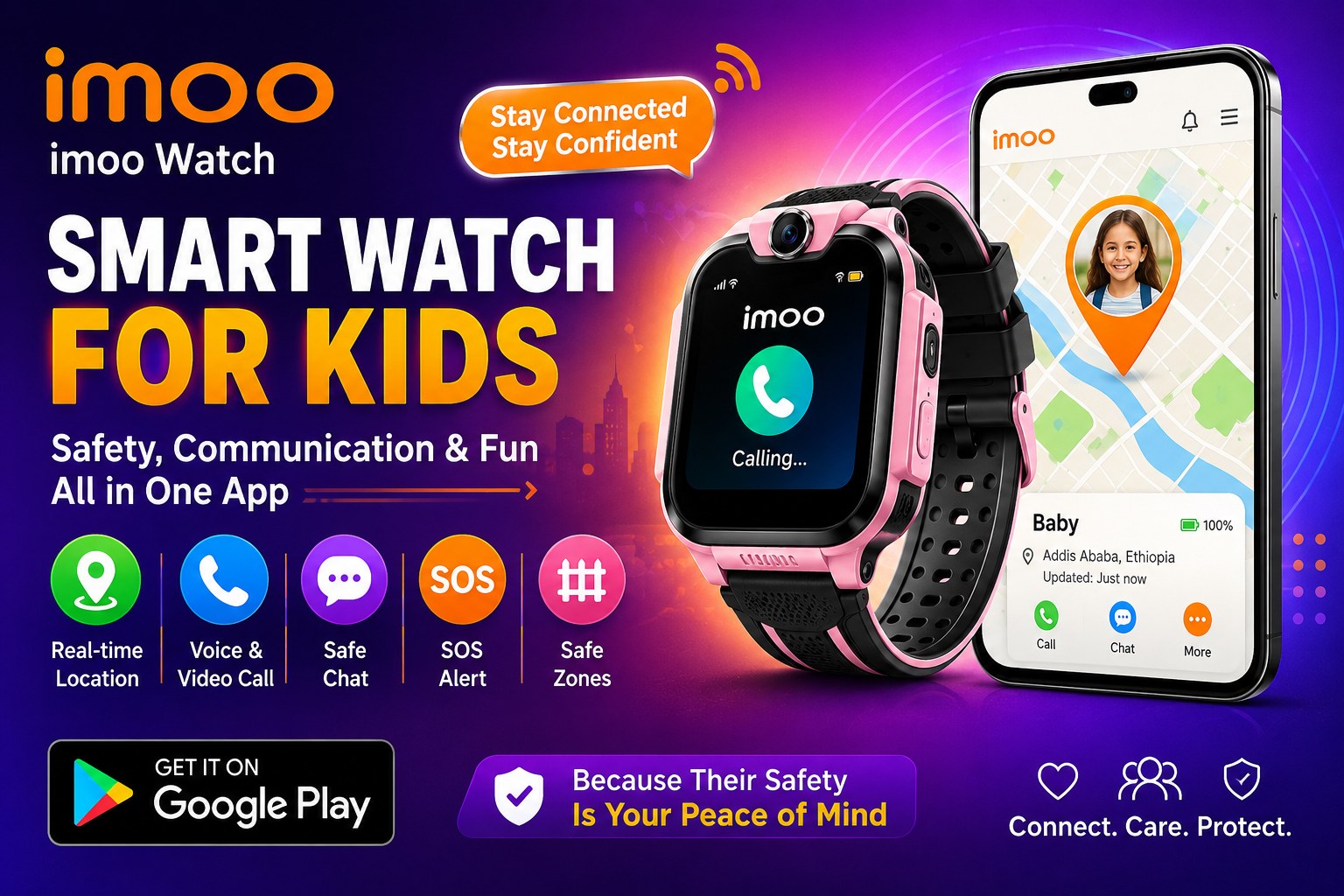
In an era where children are exposed to technology at increasingly younger ages, many parents find themselves navigating a difficult path between embracing the benefits of connectivity and shielding their kids from its potential pitfalls. Smartphones, while powerful, often open the door to unfiltered internet access, social media pressures, and a world of distractions that many families are not ready for. It is in this space that the imoo Watch Phone aims to provide a compelling middle ground, offering a wearable device that functions as a fully-fledged phone, but only under the watchful eyes of parents. The companion app, available on the Google Play Store, is the command center for this experience, and understanding its capabilities is key to deciding if it is right for your family.
What is the imoo Watch Phone and How Does Its App Work?
At its core, the imoo Watch Phone system is a two-part solution: a smartwatch worn by a child and a smartphone application, imoo Watch Phone, used exclusively by parents or guardians. The watch is equipped with its own 4G SIM card, meaning it operates independently of a paired Bluetooth connection, allowing a child to make calls and send messages even when they are not near a parent's phone. This is a crucial distinction from many other Bluetooth-only trackers and represents a key feature for parents seeking reliable out-of-home communication.
The companion app acts as the administrative hub where all control resides. As one Amazon reviewer perfectly summarized, the app is used to bind the watch to family members' smartphones, manage contacts, and configure all the device's safety features. You cannot manage the watch directly from the device itself; everything, from adding a new grandparent to the contact list to setting "Do Not Disturb" hours for school, is done through the app on the parent's phone. While this centralized control offers peace of mind, it also means the parent's phone and the app are essential for the system to function properly.
Key Features Designed for Parental Peace of Mind
The app’s feature set is purpose-built to address the primary concerns of modern parents: safety, communication, and minimizing distractions. The first and most fundamental feature is communication. The app allows for two-way voice calls and video calls directly between the parent's phone and the child's watch. This is a clear upgrade over simple GPS trackers, as it allows for immediate, real-time conversation.
However, to protect children from unknown or unwanted contact, the imoo app enforces a strict, parent-managed contact list. Through the app, you can add or remove any number, and the watch will only accept calls and messages from approved contacts, rejecting all others. A review on Amazon UK highlights this as a key benefit, noting that the child's watch effectively blocks calls from commercial numbers or wrong numbers, which is perfect for young users. Additional safety nets include a one-way text message feature (parents can send texts to the watch, but the child cannot reply via text, only via voice notes) and an "Auto Answer" function which, when activated via the app, will automatically connect a parent's call after 10 seconds if the child doesn't pick up.
GPS Tracking and Location Services
For many parents, the primary draw of a device like this is the ability to know their child's location. The imoo Watch Phone utilizes GPS and WiFi technology to provide location data directly within the app. According to user reviews, the GPS tracking is generally accurate and reliable, especially when the device has a good cellular signal or is connected to a known WiFi network.
This is complemented by a "safe zone" feature, where parents can set up geographical perimeters (like home, school, or a friend's house) through the app. When a child enters or leaves a designated safe zone, the parent receives an instant notification on their phone. This is a powerful tool for a parent who wants to know that their child has arrived safely at their destination without having to call and interrupt their day.
Structuring a Child's Day: Class Mode and Schedule Alarms
Beyond safety and location, the imoo app provides features to help structure a child's daily life. The "Class Mode" is a standout function. Parents can set specific times for school hours, during which the watch will be silenced. This ensures the child is not distracted by buzzing messages or calls during class. As one user pointed out, this feature is designed to help the child learn not to play with the watch during school hours.
Similarly, the "Schedule Alarm" feature allows parents to set up reminders for everything from homework and chores to drinking water and bedtime. You can even personalize these reminders with custom voice messages from the parent, adding a gentle, familiar touch to the child's routine. These features collectively move the imoo from a simple safety device to a tool that helps foster good habits and time management skills.
A Note on Performance and Reliability from Users
While the feature list is impressive, user reviews paint a slightly mixed picture regarding performance, and these are critical considerations for potential buyers. Several users report frustrations with the app's login stability, with some describing it as "frequently sending messages not going out" and "login often invalid for no reason," forcing them to go through the entire setup process again. These are significant reliability concerns, as a non-functional app means a parent cannot track their child or manage the watch's settings.
Connectivity issues are another common point of discussion. Some reviews mention that GPS tracking and video calling can be unreliable at times, with the app struggling to locate the watch in certain areas. There is also the occasional, and more serious, report of the watch freezing completely and becoming unresponsive until it is plugged into a charger to reboot. As one disgruntled reviewer put it, "Now imagine this: your child is out, and the watch freezes. No GPS. No calls. No way for them to reach you." This stark warning highlights that, despite its many strengths, the device is not without its potential technical glitches.
App Support and Data Security
On the data security front, the imoo Watch Phone app's listing on the Google Play Store states that data is encrypted in transit and does not share data with third parties. The developer, PT IMOOLINK GLOBAL TRADING, also allows users to request data deletion. The app collects location information, personal information, and app activity to power its core features. For support, the developer provides an email address (support@imoo.com) and a physical address in Indonesia, although user reviews suggest that support is primarily accessible via email and may not be immediate. One user in the US reported spending several days working with customer support to try and get the watch to work with their carrier, only to be unsuccessful.
Final Verdict: Is the imoo Watch Phone App Right for Your Family?
The imoo Watch Phone app, paired with its companion watch, represents a powerful tool for parents seeking a controlled, connected device for their child. Its strengths lie in its comprehensive parental controls, allowing for full management of contacts, communication, and security features. The inclusion of 4G calling, GPS tracking, and class mode provides a much more complete solution than a simple GPS tracker or a Bluetooth-only device.
However, the decision to invest in this system should be informed by an understanding of its potential drawbacks. The app’s own technical stability and the watch's connectivity can be inconsistent, and some users have reported hardware malfunctions. Before purchasing, it is strongly recommended to check user reviews for the specific model you are considering and to look for recent updates that may have addressed known issues. As one satisfied user noted, the product can be "great for young kids giving them some independence while also giving us parents some peace of mind," but this peace of mind is best achieved with an awareness of both its capabilities and its limitations.