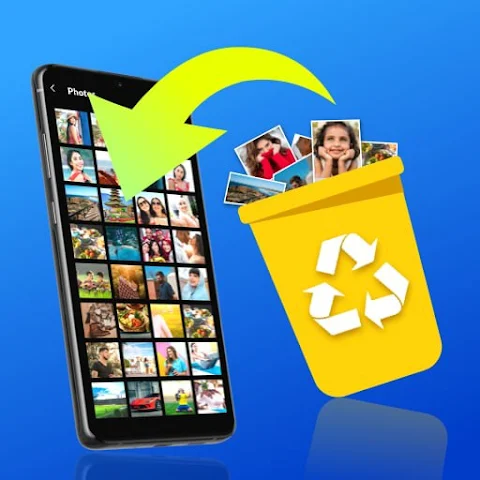
We’ve all felt that split second of panic: you’re cleaning up your phone’s storage, and then you realize you’ve just deleted a folder full of irreplaceable photos or an important work video. Before you resign yourself to the loss, take a deep breath. The “File Recovery - Photo Recovery” app, available on the Google Play Store, is designed exactly for these moments. With a strong 4.4-star rating from over 484,000 reviews, this app has already helped countless users restore their precious data. The best part? It offers a free trial and requires no root permissions, making it accessible to virtually any Android user.
So, how does a file recovery app actually work without rooting your device? The magic lies in how Android handles deletion. When you delete a file, your phone doesn’t immediately erase it; it simply marks that space as “available to be overwritten.” Until new data fills that spot, the original file often remains intact. The All Recovery app uses a fast deep-scan algorithm to find these hidden, not-yet-overwritten files on your internal storage or SD card. With one tap of the scan button, the app automatically searches for every deleted and lost file it can locate, giving you a second chance to hit “recover.”
The feature list goes far beyond basic undelete functionality. The developers have packed this tool with several clever additions that make it stand out in a crowded market. Here are the key features highlighted on the Google Play listing:
- One-Click Recovery: Restore deleted photos, videos, and audio files with a single tap.
- Photo Enhancement: A unique tool that sharpens and improves the clarity of recovered low-resolution images.
- Fast Deep Scan & Filters: Scan thoroughly, then filter results by date, size, or folder to find your target file quickly.
- Permanent Deletion: Securely wipe sensitive files you no longer need, ensuring they cannot be recovered later.
- No Root & No Network Needed: Works on standard devices and offline, preserving your privacy.
One of the most praised aspects of this app, according to user reviews, is that it is genuinely useful in its free form. A reviewer named jacky Low states, “First of all, it really can retrieve those deleted photos or videos, voice, etc. Secondly, it’s still free, which is very important. Others I’ve browsed require payment, but this one is free.” Another user, 十字追魂掌, notes that in a chaotic market, this app is a “breath of fresh air,” adding that while not every single file may be recoverable, the app successfully finds deleted videos and makes recovery easy. These real-world testimonials suggest that the app delivers on its core promise.
The app’s utility isn’t limited to just photos and videos. It specifically lists support for recovering deleted emails from supported apps and lost audio files. This makes it a versatile emergency tool for a variety of accidental deletion scenarios. Imagine you recorded a crucial meeting or a lecture, only to delete it by mistake. Or you cleaned out your email app and lost an important attachment. All Recovery claims to scan for these file types as well, offering a broader safety net than many competitors that focus solely on images.
From a security and privacy standpoint, the app takes commendable steps. According to the Google Play “Data Safety” section, the developer states that no data is shared with third parties and no data is collected from your device. Furthermore, data is encrypted in transit, and you can request that your data be deleted. This is particularly important for a recovery app, as you are granting it access to scan your storage. Knowing that the developer—BETTER FITNESS LIMITED, based in Hong Kong—has a transparent data policy adds a layer of trust when handling your personal files.
Of course, it’s wise to manage expectations. No recovery app can guarantee 100% restoration of every file, especially if the data has been overwritten by new information. The app itself provides a “Permanent Delete” option, which it warns will make files unrecoverable. The key to success is acting quickly after a deletion and avoiding heavy use of your device until the scan is complete. The app’s built-in powerful filters (by date, size, and folder) are a lifesaver here, helping you isolate the exact files you need without wading through thousands of found items.
In conclusion, the File Recovery - Photo Recovery (All Recovery) app is a robust, user-friendly, and surprisingly free tool for a common digital problem. It combines essential recovery functions with welcome extras like photo enhancement and permanent deletion, all wrapped in an interface that requires zero technical expertise. The massive number of positive reviews and the perfect 5-star comments from real users suggest that for most everyday accidents—from a deleted vacation video to a lost voice memo—this app is well worth the download. Just remember to act fast, scan soon, and you might just get those “gone forever” files back.