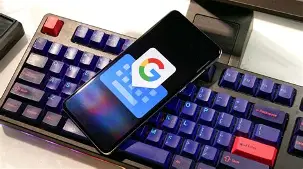
Let’s be honest: your smartphone keyboard is probably the app you use most, yet we rarely give it a second thought. It’s just there, faithfully translating our taps and swipes into words, messages, and emails. But not all keyboards are created equal. After years of development and with over 500 million downloads, Gboard—the Google Keyboard—has become the default choice for countless Android users. Its blend of speed, reliability, and smart features sets a high bar that few competitors can match.
At its core, Gboard is designed to make inputting text as fast and frictionless as possible. It inherits everything users loved about the old Google Keyboard and builds upon it with powerful, modern tools. The app supports a dizzying array of input methods, ensuring that whether you’re a rapid tapper, a swiper, or someone who prefers to speak, Gboard has you covered.
Glide, Tap, or Speak: Typing Your Way
The star of the show is undoubtedly the Glide Typing feature. Instead of lifting your finger to tap each individual key, you simply slide your finger from letter to letter. It feels almost like magic and can significantly boost your typing speed once you get the hang of it. For moments when your hands are full or you’re on the go, the integrated voice typing is exceptionally accurate, turning your speech into text without the need for a third-party app. And if you prefer the old-school approach, the handwriting recognition is robust enough to understand both messy and neat script, a welcome feature for many users.
A Keyboard That Speaks Your Language (Literally)
One of Gboard's most powerful features is its seamless multilingual support. For bilingual or multilingual users, manually switching between keyboards is a thing of the past. Gboard allows you to enable multiple languages simultaneously and will provide automatic autocorrection and suggestions for whichever language you’re currently typing in, no manual switching required.
The app supports hundreds of languages and varieties, from the most widely spoken like Spanish, French, and Mandarin, to more regional languages such as Assamese, Basque, and Zulu. This commitment to global accessibility makes it a versatile tool for billions of users worldwide.
Beyond Text: Expressing Yourself with GIFs and Emojis
In today’s digital communication, emojis and GIFs are essential. Gboard makes finding the perfect one incredibly easy with its built-in emoji search and GIF search. Just tap the emoji or GIF button and describe what you’re looking for; you can quickly find the exact expression to convey your feelings without scrolling through endless lists. For Pixel 9 users and beyond, the app even supports creating custom stickers directly within Gboard, adding another layer of personal expression.
Pro Tips to Supercharge Your Typing
Beyond its core features, Gboard is packed with clever shortcuts that can transform how you interact with your keyboard. These little-known tricks can save you time and frustration:
- Glide Cursor Control: Instead of tapping a precise spot in a block of text, simply slide your finger across the space bar to move the cursor left or right.
- Glide Delete: Made a mistake? Slide left from the delete key to quickly delete entire words at a time—much faster than tapping repeatedly.
- One-Handed Mode: For larger phones, enable one-handed mode to anchor the keyboard to the left or right side of the screen, making it easy to type with one thumb.
- Customizable Layout: You can make the number row permanently visible and enable long-press shortcuts for symbols, avoiding the need to switch to a separate symbols keyboard.
Privacy and Data Security
In an era of heightened privacy concerns, it’s important to know how your data is handled. Google states that Gboard may collect certain data like audio (for voice typing), app activity, and diagnostic information to improve the service. According to its data safety section, this data is encrypted in transit, and the app has undergone an independent security review. It’s worth noting that your data cannot be deleted directly from the app, as it's managed within your Google account settings, and Google states they do not share your data with third parties. This commitment to transparency provides a level of assurance for users.
A Note on User Feedback
With over 18 million ratings, Gboard is clearly a beloved app, but it’s not without its constructive criticism. Many users have pointed out areas for improvement, particularly around the Chinese (Pinyin) input method. Common feedback includes requests for better word memory, easier word deletion, improved swipe-to-select functionality, and a more intuitive way to switch between different input methods within the same language.
This feedback highlights that while Gboard is excellent, even the best tools can be fine-tuned. It’s a testament to its popularity that users are so engaged in helping it improve.
The Verdict: The Keyboard That Does It All
Gboard stands out as a comprehensive and powerful keyboard app that anticipates your needs. Its speed, accuracy, and deep integration of Google services—like the ability to translate text in-line—make it an indispensable tool for Android users. While there is always room for improvement in specific languages and features, its core offering is robust, reliable, and constantly evolving. If you’ve ever felt frustrated with your phone's default keyboard, or if you're simply looking for a smarter way to type, Gboard is undoubtedly worth the download. It transforms a mundane task into something efficient, intuitive, and even fun.